BlogGame studios
When your game needs a Live Ops dashboard (and when it doesn’t yet)
The signs your game is asking for a Live Ops dashboard, the minimum viable v1, and when it makes sense to build in-house vs. outsource the first version.

Caio Domingues · Founder and CEO, BluePaper
· 10 min read
You launched the game. The first few weeks were chaos: you tweaked drops, balanced the economy, fixed a bug that only shows up in 1% of matches. All of it running through spreadsheets, messages in the team's Discord and a hotfix deploy every Tuesday night.
At some point someone is going to say: "we need a Live Ops dashboard." And then comes the real question: do you need it now? Or can you run another quarter on the spreadsheet?
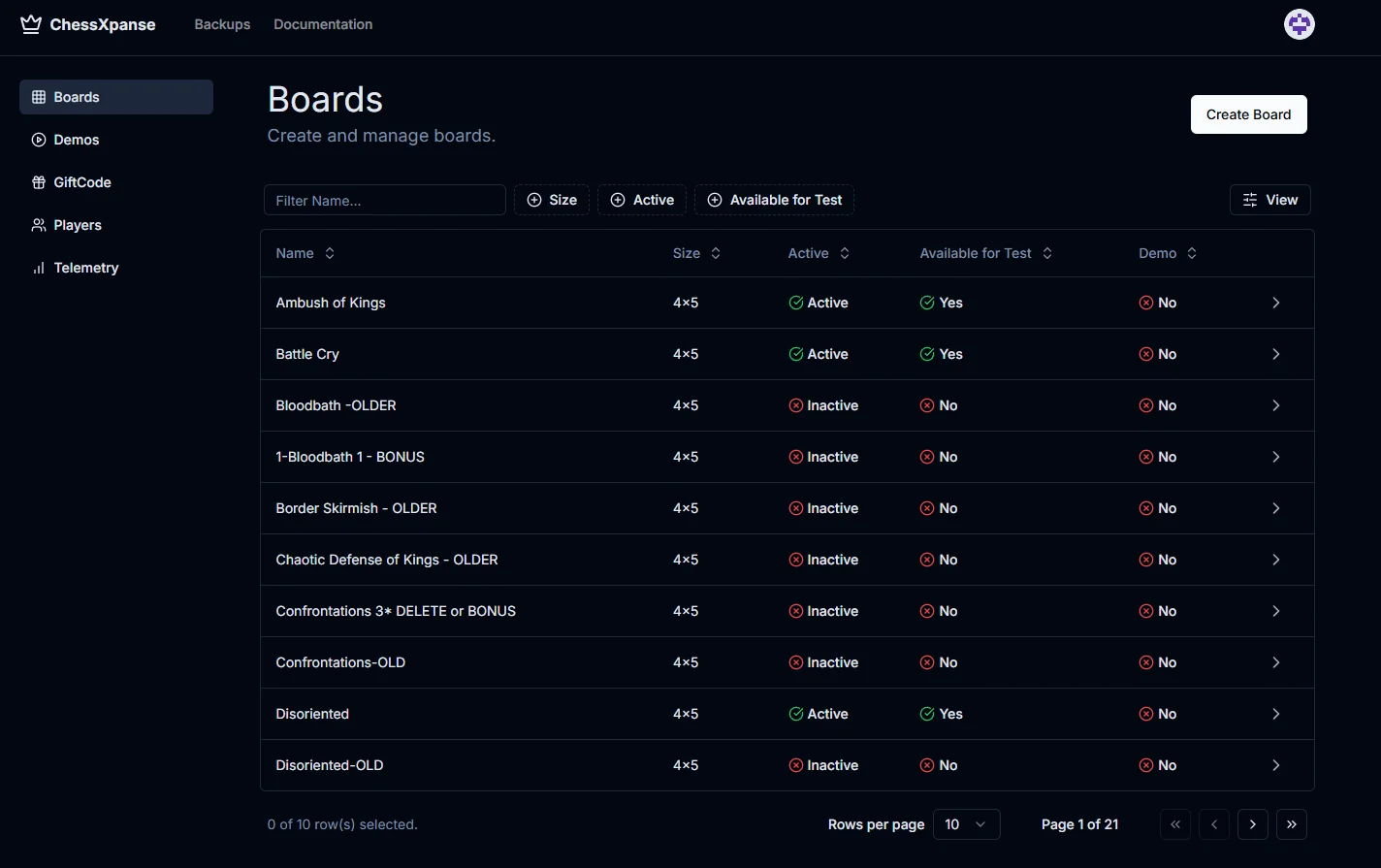
This article is for indie and mid-size game studios sitting right on that line. We've worked on three Live Ops setups at different scales over the past few years (ChessXpanse, Equine, Takedown Legends), so a lot of what follows is the same pattern repeating.
What a Live Ops dashboard really is
Before getting into whether you need one, it's worth pinning down the terms. "Live Ops dashboard" is a fuzzy bundle. To make it concrete, in practice it usually has three jobs:
- Balancing panel: adjusting numbers (drop rate, item price, XP per action) without redeploying the game client
- Player telemetry: understanding what's going on (DAU, retention, conversion funnel, behavior per feature)
- Operations management: banning accounts, granting items, debugging a specific player, running events
The confusion starts because every studio calls it something different: "admin panel," "live tools," "ops dashboard," "game CMS." It's all the same family.
The key point: you rarely need all three at once. Almost always, v1 covers just one of the three jobs, usually balancing.
Signs you need one (now)
Roughly in order of severity. The more of these match your situation, the more urgent it is.
1. You make more than one balancing tweak a week. I'm not talking about a big patch. I'm talking about "raise the crafting cost to 12 coins," "cut ability X's cooldown by 0.5s." If that happens every week and every tweak requires a client redeploy, you're paying a steep toll for a missing tool.
2. A critical bug has to wait for a build to get fixed. "The rare item is dropping 10x more than expected." You need to fix that in hours, not days. If the only way is shipping a patch, your response window is out of step with a community that's playing live.
3. You're up against a hotfix every Tuesday. Some day of the week has become "deploy day," and the whole team drops everything else to push fixes. That means tweaks that should be configuration have turned into code.
4. Your support/community team needs a dev for simple things. "Player X lost an item, can we restore it?" → becomes a ticket for a dev → becomes a SQL script → becomes "I'll run it over the weekend." Support should be able to do that on its own.
5. You don't know how many players are active right now. Seriously. If the answer involves "opening Google Analytics" or "running a query on the database," you don't have Live Ops visibility.
6. You're running an event (drop, season, tournament) and need to make calls mid-event. Live events demand adjustments along the way: extending a drop rate, lengthening the duration, fixing a reward. Without a dashboard, that turns into manual coordination on Slack.
Signs you don't need one yet
These matter just as much. Building Live Ops too early is burned money.
1. You haven't launched yet. Seriously. Pre-launch is the time to spend engineering on the game, not on internal tools. Launch, suffer a little, then build.
2. Your balancing changes are rare (once a month). If you tweak once per sprint, doing it in code + redeploy is fine. A dashboard for that volume is over-engineering.
3. Your game is offline single-player or has no live economy. Live Ops makes sense for connected games with an economy, progression or social features. For an indie puzzle game with no multiplayer? No.
4. You're still iterating on the core loop. If you're not sure what the game's main feature is, any dashboard you build will be redone in 3 months.
5. Your community has fewer than 1,000 active players. At that volume, you can handle support manually, debug case by case, talk to every player. A dashboard won't even lower your costs.
What a Live Ops dashboard is NOT
To save future arguments, here are a few neighbors that get mixed up with it:
- General analytics panel (Mixpanel, Amplitude): shows data, but doesn't let you change anything. Important, but separate.
- Game CMS (Strapi, Sanity): edits narrative content, assets, copy. It overlaps with balancing but doesn't cover operations.
- Django/Rails admin: generates CRUD on top of the database. Functional for ops, but terrible for product devs who need a specific view.
- Spreadsheet connected via API: a clever hack for v0, but it scales badly. It becomes a source of bugs, and whoever edits it carelessly breaks prod.
The minimum viable v1
If you've decided you need one: good. But resist the temptation to build everything. The ideal v1 covers 80% of real usage with 20% of the scope.
Include:
- Inline editing of the 5-10 parameters you tweak most often (not all 200 that exist)
- A list of changes showing who made them and when (a basic audit log, which will save you when something breaks)
- Feature flag toggles for the 2-3 features you want to be able to switch off during an incident
- A simple "player X" screen showing inventory, a log of recent actions and account status, so support can help players without calling a dev
Don't include in v1:
- A generic "any game parameter" editor (it'll become a maintenance nightmare)
- An A/B testing framework (do it with a manual flag first, validate the appetite, then build it)
- Complex analytics dashboards (use Metabase, Mixpanel or Amplitude: more mature and cheaper)
- Granular role-based permissions (admin/viewer is enough for v1)
- An overly polished UI (nobody looks at it; what matters is correct data and fast actions)
A good v1 fits into 4 to 6 weeks for a dev who knows the backend stack. If you don't have that profile in-house, it makes sense to outsource that slice. That's exactly what we did on ChessXpanse: the in-house team kept working on gameplay, we built the panel in parallel and delivered it ready for operations.
When to build in-house vs. outsource
A question that always comes up. No magic formula, but here's a useful guide:
Build in-house if: you already have a backend dev available to dedicate 4-6 weeks exclusively, the stack is the same as your client/server, and you expect continuous long-term iteration (you'll be changing it every month).
Outsource if: your team is maxed out on gameplay, you want to go live on a specific date (an event, a season), or you're still not sure exactly what you'll use (a lean v1 is worth it to validate before bringing it in-house).
The worst combination is "I'll put our backend dev on this one day a week." Four weeks later you've got 4 days of accumulated work, nobody finishes, and that person is frustrated from switching context 7 times. Live Ops deserves focus, or outsourced focus, not a spot in the internal queue.
TL;DR
If you tweak balancing every week, your support is blocked on devs, and you never know how many players are active: you need one. Start small (one of the three jobs, not all three). Resist building the "ultimate dashboard." And if your in-house team doesn't have the bandwidth to deliver in a short window, outsourcing v1 is a sound financial decision: you gain speed without compromising the game's roadmap.
If you want to talk about Live Ops for your specific case, tell us about your situation. We'll get back to you within 24 hours with a plan and an estimate, no fine print.
Frequently asked questions
- What are the signs that my game needs a Live Ops dashboard?
- Three signs together make the case: you tweak balancing every week and it takes a deploy or a developer; support is stuck waiting on a developer to resolve player issues; and you can’t say off the top of your head how many players are active right now. If all three are happening, the dashboard pays for itself in engineering time given back.
- What goes into a minimum viable Live Ops dashboard?
- Inline editing of the 5 to 10 parameters you adjust most (not all 200 that exist), a basic audit log of who changed what and when, feature flags for the 2 or 3 features you want to be able to switch off during an incident, and a player screen showing inventory, recent actions and account status so support can help without calling a developer.
- What should NOT go into v1 of a Live Ops dashboard?
- A generic editor for every game parameter (it becomes a maintenance nightmare), an A/B testing framework (validate with a manual flag first), complex analytics dashboards (Metabase, Mixpanel and Amplitude are more mature and cheaper), granular role-based permissions (admin and viewer are enough) and an overly elaborate UI. What matters is correct data and fast action.
- Should you build the dashboard in-house or outsource it?
- Build in-house if you have a backend developer available for 4 to 6 dedicated weeks, the stack matches the client/server and you expect continuous iteration. Outsource if the team is maxed out on gameplay, you need to be in production by a specific date, or you’re not yet sure what you’ll actually use. The worst combination is assigning one developer one day a week: nobody finishes and that person keeps switching context.
You might also like
Keep exploring our writing on landing pages and web development.
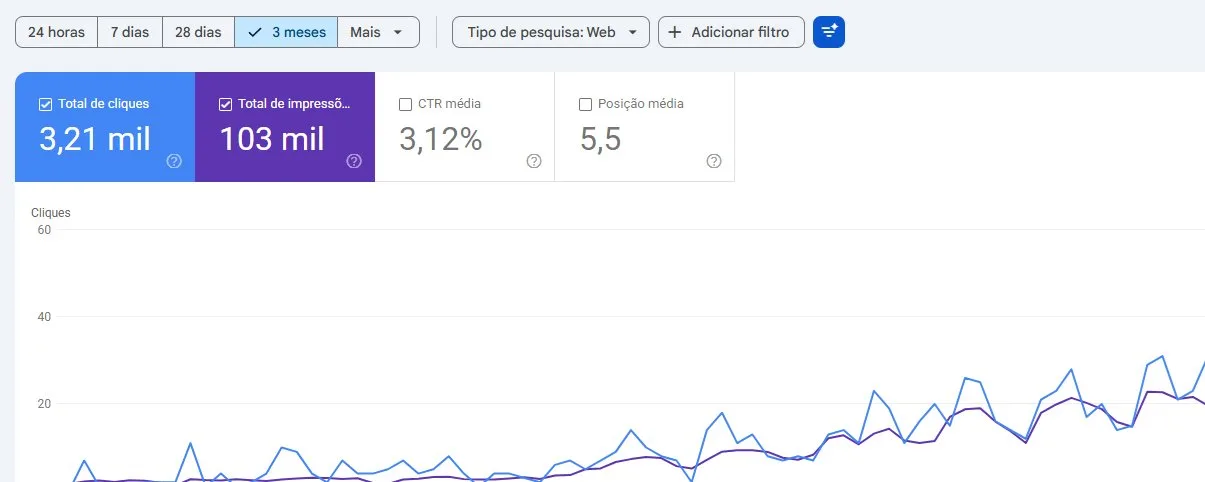
How three sites earned organic traffic on a zero ad budget: a 496,000-URL sitemap, JSON-LD, llms.txt, a .md version of every page and more than 1,000 citations in AI answers. Real numbers, including what didn’t work.

Why generic site builders go down under traffic spikes, and what a drop page’s infrastructure needs to handle 30,000 people in 15 minutes. A practical checklist.

The 5 signs your audience has outgrown Linktree, what your own site unlocks, and the minimum path to migrate without it turning into an endless project.